ComfyUI on Fedora 43 Silverblue using AMD Radeon RX 7600 XT
Zhenbo Li April 05, 2026Background
In January 2026, I saw some recommendations of ComfyUI. I found a great article Getting Started with ComfyUI on Fedora 42 Using AMD Instinct MI60 on https://www.ojambo.com/. Since Fedora HC group has been updating ROCm rapidly, and package names are different in Fedora 42 and 43 (may shift again in 44) . After a few tweaks, ComfyUI ran perfectly on my desktop.
Environment
| Component | Spec |
|---|---|
| OS | Fedora 43 Kinoite |
| CPU | AMD Ryzen 9 7950X3D |
| RAM | 64 GB |
| GPU | AMD Radeon RX 7600 XT, 16 GB VRAM |
| Storage | 1 TB SSD |
Process
Dependencies
rpm-ostree install rocminfo rocm-smi
Note: if you have steam.i686 installed from rpmfusion, be aware that ROCm packages may conflict with i686 packages.
Clone ComfyUI
git clone https://github.com/Comfy-Org/ComfyUI.git
cd ComfyUI
python3 -m venv venv
source venv/bin/activate
This is the version I used
commit bbe2c13a7075bcf4de3b6744f96d84d12c334350
Date:   Thu Jan 29 20:52:22 2026 -0800
As of 2026-Jan, ComfyUI suggests ROCm 6.4
pip install torch torchvision torchaudio --index-url https://download.pytorch.org/whl/rocm6.4
pip install -r requirements.txt
Run ComfyUI
python main.py --lowvram
We can monitor GPU usage
watch -n 1 rocm-smi
amdgpu_top     # https://github.com/Umio-Yasuno/amdgpu_top
There is a harmless warning message /opt/amdgpu/share/libdrm/amdgpu.ids: No such file or directory. Just ignore it
Pick model
Open http://127.0.0.1:8188/, ComfyUI will suggest several templates. For simplicity, we just use Z-Image-Turbo Text to Image

After clicking it, ComfyUI will provide a list of model files. We download them and copy them to models/, e.g. models/checkpoints/, models/diffusion_models/, models/vae/, models/text_encoders/
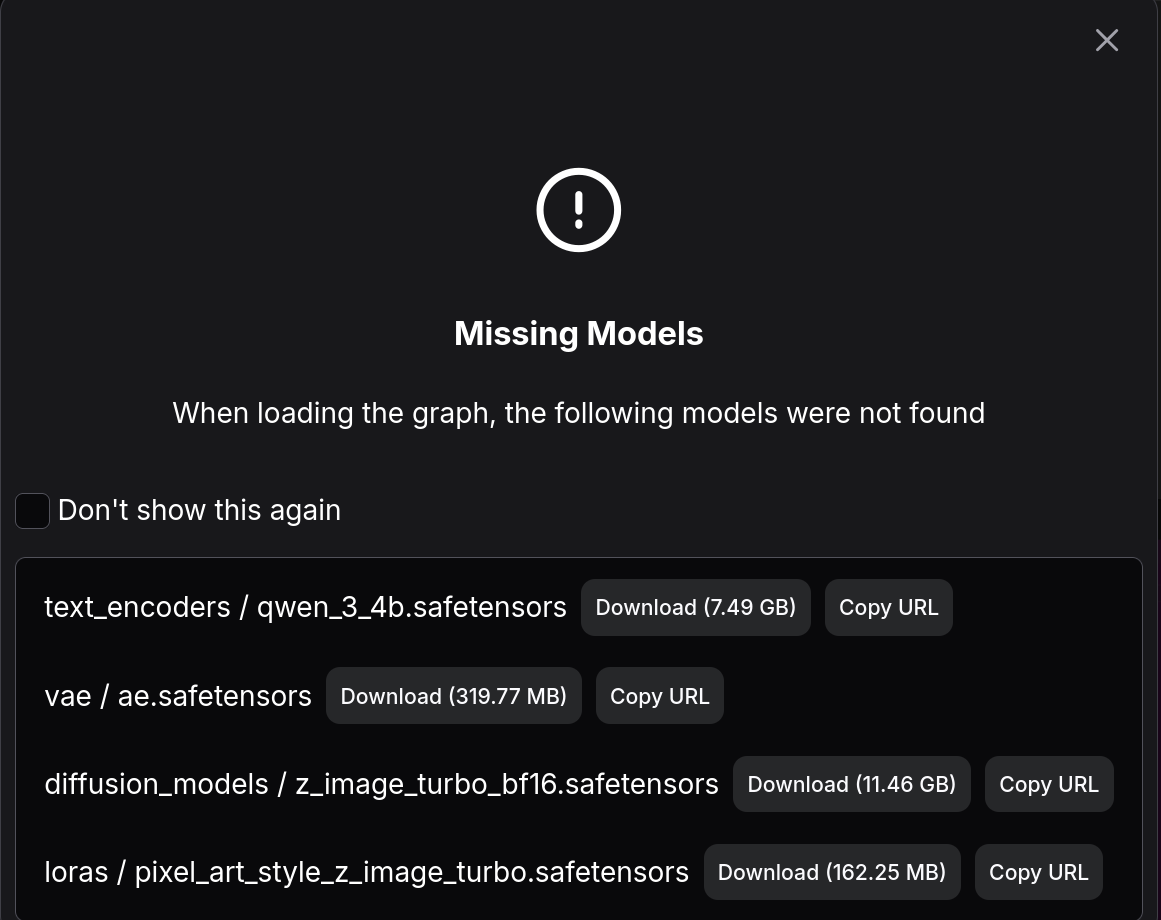
Adjust the prompt, then click the "Run" button at upper right.
Performance
My RX 7600 XT could finish one image in 16 seconds, with 2.98s/it
Why lowvram
Although 16G VRAM should be feasible to run this model, but ComfyUI is very reluctant to free VRAM after a single pass. I tried Unload following this reddit post, but it didn't work for me. I also tried --reserve-vram 2 but my desktop would still freeze after several passes due to no VRAM. The only workaround is to add --lowvram